Business
This 28-Year-Old’s Busy 9-5 Inspired Her Side Hustle That Gives Professionals a Boost. Now It’s in Walmart Headed for $1.8M: ‘Pretty Surreal.’
Reading in data-saving mode. Read full article from Entrepreneur website.
Published 10/22/2026 3:16:25 PM
Her Energizing Side Hustle in Walmart, on Track for $1.8M: Rallee
Key Takeaways
- Young didn’t want to spend $6 on several cups of coffee or matcha throughout the work day.
- She teamed up with nutritional scientists to formulate her caffeinated gummy brand Rallee.
- After a February relaunch, Rallee landed in nearly 2,000 Walmart locations.
This Side Hustle Spotlight Q&A features Georgia Young, a 28-year-old entrepreneur based in New York. Last year, Young was working in consulting when she started her side hustle Rallee: a line of caffeinated gummies for energy on the go. Rallee landed in 1,940 Walmart stores in eight months and is projected to bring in about $1.8 million in revenue in 2027. Responses have been edited for length and clarity.

What was your day job or primary occupation when you started your side hustle?
Before starting Rallee, I spent four years in strategy and sustainability consulting, advising private equity and private credit firms, global financial institutions and asset managers on their sustainability and impact investing strategies across multi-billion-dollar portfolios. It was an incredibly demanding environment with tight deadlines, overlapping deliverables and long hours.
I loved the pace and the challenge, but my days were often completely dictated by client demands. My background was also very far from consumer packaged goods. I have a master’s degree in sustainable business from the University of Miami. So when I first started working on Rallee, I was essentially teaching myself an entirely new industry while balancing a demanding full-time job.
When did you start your side hustle, and where did you find the inspiration for it?
I developed Rallee while I was still consulting and launched it in January 2025. The inspiration came directly from that job. Working with demanding private equity and private credit clients meant constant overlapping deadlines, back-to-back meetings and very long hours. I was always trying to find enough energy to keep up, both professionally and personally.
Like so many people, I relied on caffeine, but I was increasingly frustrated with the options available. I didn’t have time to stand in line for a barista every time I needed a boost. Spending $5 or $6 on coffee or matcha several times a day added up quickly. And I wanted something better for me than traditional energy drinks. I wanted caffeine that was more affordable, convenient and thoughtfully formulated.
Researching manufacturers and testing samples
What were some of the first steps you took to get your side hustle off the ground? How much money/investment did it take to launch?
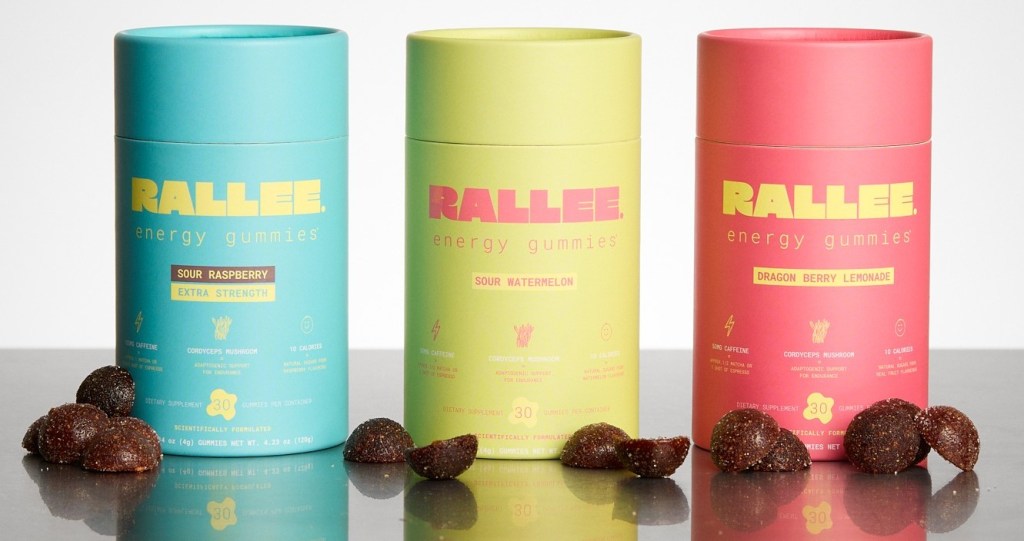
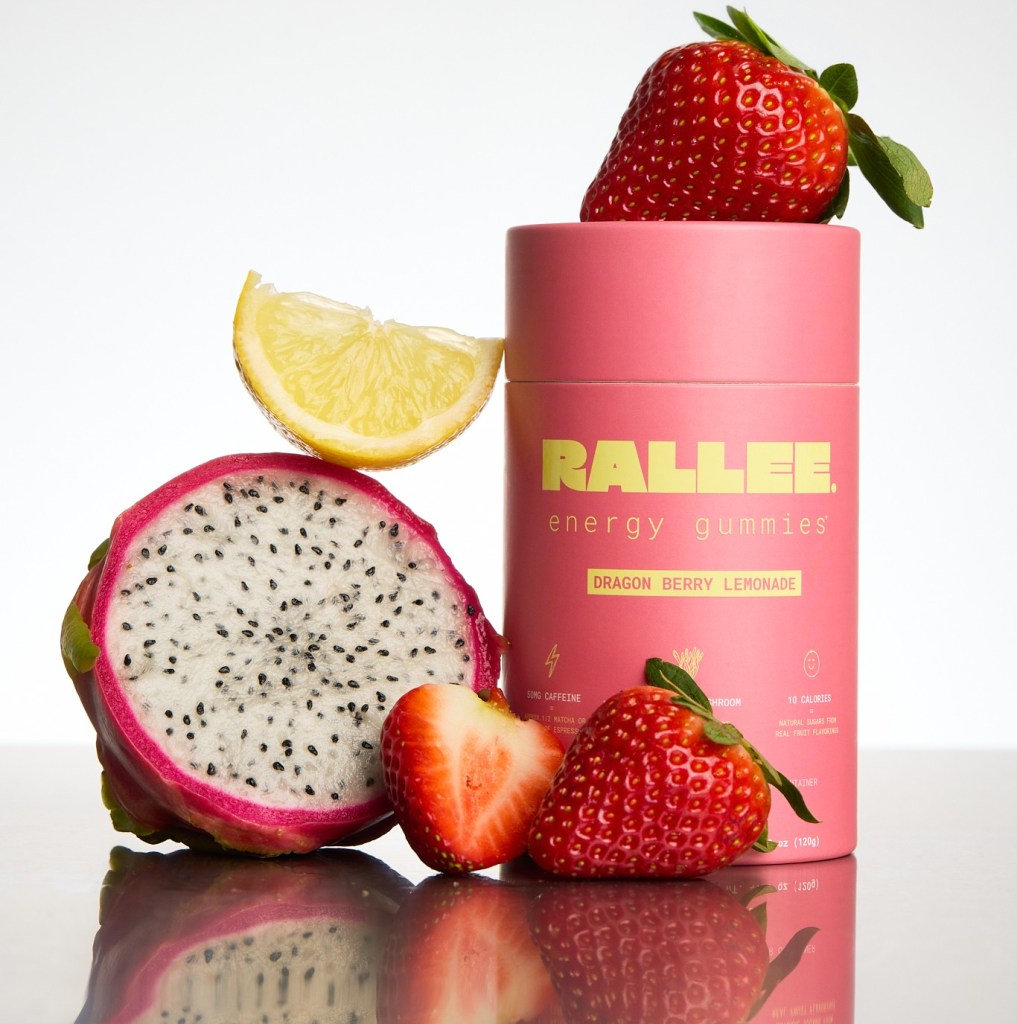
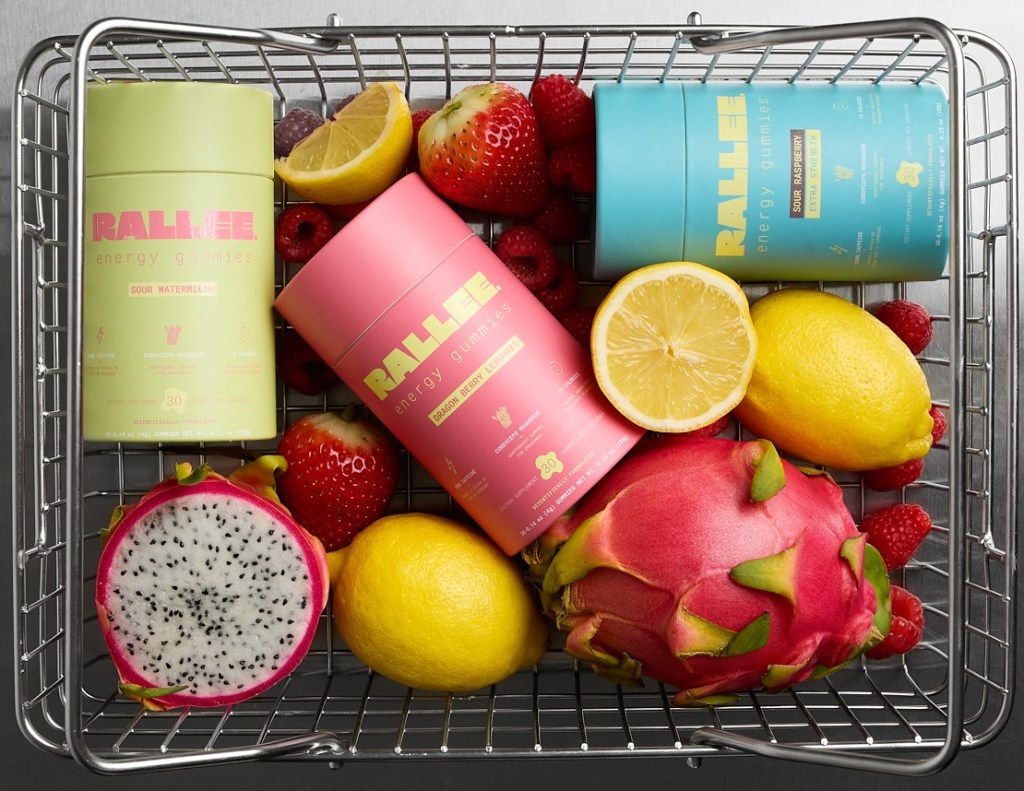
The first step was figuring out if the product I had imagined could even exist. I researched gummy manufacturing, caffeine delivery systems and ingredient interactions. Then I worked with nutritional scientists to develop a formula that was effective, jitter-free and enjoyable to eat. We paired caffeine with L-theanine to support calm focus without the jitters; used a coated, slow-release caffeine for steadier energy instead of a spike; and added cordyceps mushrooms, all in a vegan, 10-calorie gummy made with real fruit.
From there, I reached out to manufacturers, tested samples and learned about regulatory requirements, packaging and branding. I had absolutely no background in food manufacturing. So the learning curve was huge. Because I was doing all of this alongside my consulting job, evenings, weekends and pretty much every spare moment went into getting Rallee off the ground. I kept consulting until April 2025, about three months after launch, before going full-time. Very quickly, I learned that a physical product is expensive before you’ve sold a single unit because formulation, MOQs, packaging, testing and regulatory work all add up fast. I invested all of my savings, around $45,000, to launch Rallee, and the business is still 100% founder-owned and self-funded today.
Tapping into advice from other founders
Are there any free or paid resources that have been especially helpful for you in starting and running this business?
Other founders have been my most valuable resource by far. I’ve learned an enormous amount from people who are a few steps ahead of me, particularly on manufacturing, retail negotiations, fundraising and distribution. You can spend hours researching something online, or you can have a 20-minute conversation with someone who has already been through it. Communities like Startup CPG have also been incredibly valuable. One of our biggest opportunities came through a Walmart submission connected to the community, which ultimately led to Rallee securing national distribution with Walmart.
If you could go back in your business journey and change one process or approach, what would it be, and how do you wish you’d done it differently?
I would have been much quicker to accept that not everything needs to be perfect before you launch. Coming from consulting, I was used to deliverables going through multiple rounds of review before they ever reached a client. I wanted every detail to be exactly how I had envisioned it. I’ve learned that building a consumer brand is an ongoing process of testing, learning and improving. You can spend months debating something internally, only to discover that customers care about something entirely different.
That doesn’t mean compromising on quality or safety, but perfectionism is incredibly expensive when you’re funding a business yourself. Getting to 90% and learning from the market is often far more valuable than spending another six months chasing the final 10%.
Building a physical product requires significant cash
When it comes to this specific business, what is something you’ve found particularly challenging and/or surprising that people who get into this type of work should be prepared for, but likely aren’t?
The thing that surprised me most is how much cash a physical product ties up before you ever see a sale. Every production run means paying upfront for gummies, packaging and freight, often months before that inventory turns into revenue, and retail stretches that gap even further. On top of that, people underestimate how many different hats you have to wear, especially early on when you don’t have the budget to hire an expert for every problem. One minute you’re the creative director, the next you’re the finance team, and by lunchtime, you’re troubleshooting a manufacturing issue. It’s challenging, but it’s also one of my favorite parts of being an entrepreneur.
Can you recall a specific instance when something went very wrong? How did you fix it?
One example was during production for our Walmart launch. We were working toward a major retail deadline when a piece of sealing equipment we needed for our packaging didn’t arrive in time, and pushing production back simply wasn’t an option because we had retailer deadlines to meet. So, we completely rethought the process. We brought in additional labor, switched to handheld sealing equipment, and worked closely with our manufacturing team to get everything packed and ready. It was significantly more labor-intensive and expensive than we had planned, but we found a way to make it work.
7.6X increase in DTC sales, on track for $1.7M next year
How long did it take you to see consistent monthly revenue? How much did the side hustle earn?
Honestly, it took longer than I expected, and I think that’s one of the most useful things I can share with anyone starting out. We launched in January 2025 and had sales from the very first month, but they were inconsistent through most of that first year while we worked out the right format, pricing and messaging. The turning point was our February 2026 relaunch. Once we focused on subscriptions, bundles and single-serve sampling pouches, our direct-to-consumer sales grew 7.6 times in four months. Almost everything we earn still goes straight back into the business because product development, inventory, packaging, marketing and logistics all require continuous investment. The distinction between revenue and profit is really important for anyone building a physical product business.
What does growth and revenue look like now?
Since our February relaunch, Rallee has gone from a direct-to-consumer brand to 1,940 Walmart stores in eight months, with our new six-gummy mini variety pack rolling out nationally and our full-size tubes launching in select stores. We’re conservatively projecting about $1.8 million in revenue in 2027. Our focus now is on expanding our retail presence, growing brand awareness, developing new formats and building a business that can scale sustainably. For me, the most exciting part is that we’re still at the very beginning of what Rallee could become.
What to do before spending thousands on product development
What do you enjoy most about running this business?
I love seeing something that started as an idea in my head become a real product that people genuinely love. There’s something incredibly rewarding about watching someone pick up Rallee for the first time, try it and understand exactly why I created it. One customer told us it was the first caffeine product that didn’t make her anxious, and that is exactly the problem I set out to solve. I also love the creative freedom of building a brand from scratch, developing new products, making decisions and seeing those ideas come to life, which is something I never take for granted. And of course, seeing Rallee on the shelves at Walmart was a pretty surreal moment. It’s one thing to believe in your own idea, but it’s another to see it sitting alongside brands you’ve known your entire life.
What is your best piece of specific, actionable business advice?
Before you spend thousands of dollars developing a product, speak to at least 20 people who you genuinely believe would buy it, and don’t steer them toward the answers you want to hear. Ask them what they’re currently using, what frustrates them about it, how often they buy it and what would actually make them switch. Their answers should shape your product, pricing and messaging before you’ve committed to your first production run.
§
Effective product pages help online shoppers decide whether an item fits their needs and what buying it involves. A beautiful photograph gets attention. Product details such as dimensions, available sizes, delivery details, and a clear price help turn that attention into a purchase.
Even established retailers miss these basics. In its benchmark of leading U.S. and European retailers, updated in March 2026, Baymard Institute rated 52% of desktop sites and 62% of mobile sites “mediocre or worse” for product-page usability1.
Product-page changes can affect revenue, too. In a 27-day test for Life Pro Fitness, agency Media Contour made product images, key details, and buying buttons visible without needing to scroll. Testing vendor Wingify reported that the revised page generated $0.67 more revenue per visitor than the original2.
If you are building a new store, follow the five tips below as you create your product pages. Have those pages ready before running ads that send shoppers to them.
If you already have an online store, choose one product page to improve. Reference these steps to check whether it answers shoppers’ questions and lets them add the right item to their cart.
1. Answer shoppers’ questions in the product description
Identify the main question a shopper needs answered before buying. Look for questions customers ask repeatedly or misunderstandings behind returns. For a new product, start with fit, compatibility, or what is included. Confirm the answer against your product specifications, then put it near the start of the description.
For example, consider a pet-supply retailer selling a dog harness. Someone choosing their first harness needs measurements and adjustment details to judge the fit. Someone replacing a harness they already own needs to recognize the same model and size. The page should make both tasks straightforward.
Also, use consistent labels and units across similar products to make comparisons easier. Include limitations, such as incompatible models or items sold separately, so shoppers can rule out an unsuitable purchase.
In e-commerce platform BigCommerce, for instance, online sellers can use the product description and custom fields—additional facts such as material or compatibility—to present these details. Preview the product page to check that shoppers can find the information they need.
Then, use those same facts to help shoppers recognize the item in search results. In BigCommerce’s page title field, use the product name and a relevant detail, such as its model or material. Avoid repeating keywords or giving every product the same title.
2. Give every product image a question to answer
Plan your gallery around what someone needs to inspect. Show the whole product, a useful detail, and the product in use. For example, a lighting retailer could photograph a lamp beside a chair to show its scale and how it lights a reading space. A close-up of the switch shows how someone would operate it. Together, these images help shoppers picture using the lamp at home. Keep written dimensions available as well.
The same Baymard overview describes how shoppers use images to judge size and can struggle when photographs lack a familiar reference.
If you sell a bundle, make clear which pictured items are included. For products that need assembly or demonstration, you might even consider creating a short video. Add alt text: a short description of the useful information in an image. Screen-reader software can read that description aloud or present it in braille. Keep essential instructions available as text as well.
BigCommerce supports product images, images for variants such as different colors, and YouTube-hosted product videos. Check that your gallery presents the right item as shoppers change their selection.
3. Make choices, prices, and recurring charges clear
Keep size, color, quantity, and purchase options close to the buying button. Label them plainly, show the current selection, and make unavailable choices recognizable. If the size options fit on the screen, show them as labeled buttons, such as S, M, and L. This lets shoppers see which sizes are available without opening a menu, as the Baymard overview explains.
Place helpful links beside the choice it explains. For the dog harness, for example, consider putting a measurement guide beside the size selector so shoppers can check the fit before choosing. Keep it visible or provide a clearly labeled link that works by touch and keyboard.
In BigCommerce, online sellers can configure choices such as size and color through product variants and options. Then check that the displayed price and availability match the shopper’s selection. For multipacks, show both the pack total and the unit price. Make the full pack price easy to find so shoppers know what they will be charged.
If you offer subscriptions, let shoppers explicitly choose between a one-time purchase and a recurring order. Put the recurring charge, delivery frequency, and change or cancellation terms beside that choice so shoppers can compare the commitments before selecting. Confirm that these terms match how your subscription service works. Select a subscription yourself and verify that checkout shows the plan, price, and frequency you chose.
4. Make sure delivery, returns, and reviews are easy to find
A shopper who needs an item by a particular date wants to know whether it will arrive in time. Show a delivery estimate for their destination. Put a short explanation of shipping and returns near add to cart, with links to the full policies.
Show shipping fees or explain how they will be calculated. Clearly describe return windows, fees, and exclusions that matter for the item. If pickup is offered, distinguish stock at the selected location from stock elsewhere. Avoid presenting an estimate as a confirmed promise.
Also consider making reassurances that are specific to the purchase. Using the dog harness as an example again, you’d want to explain whether a shopper can exchange it if the fit is wrong and which conditions apply. That answers the practical concerns that a badge saying “Shop with Confidence” leaves unresolved. Use only promises your business can honor.
Customer reviews provide another way to assess the product. Show the review rating, text, reviewer’s display name, and date on the relevant product page. If reviews come from another service, name that service. These details help shoppers understand whose experience they are reading and how recent it is.
5. Test the path from product page to cart
Shoppers need to know that the page has registered their choices and whether adding an item succeeded. Open your chosen product page on your phone. If a required option starts unselected, try adding the item before choosing it. The page should tell you what to select or explain why “Add to cart” is unavailable.
If the product has options, choose them, then change one selection. Check that the price, availability, and any option-specific images match. Add the item. While the request is processing, the page should make that clear. Once it succeeds, a confirmation or the cart itself should show what was added. If an error occurs, it should explain how to continue without losing other selections.
From there, make sure to check the item’s quantity, options, and price in the cart. If you chose a size or color, return to the product page and check whether it still shows that selection. These checks help catch a wrong selection or an uncertain result before a shopper encounters it.
Shoppers who cannot use a mouse need to select options and add products using a keyboard. To check that they can, repeat the steps above on a computer without the mouse. Use Tab to move forward between controls and Shift+Tab to move back. A visible outline or other marker should show which control you are about to use. Press Enter to activate links and Enter or Space for buttons. In a drop-down list, such as a size selector, use the arrow keys to move through the options.
Shoppers who need larger text must still be able to read product details and reach Add to cart. Use the browser’s Zoom control to enlarge the page to 200% and try the same steps again. Check for overlapping text or controls that disappear. Across all these checks, record anything that prevents choosing the product, adding it, or correcting a mistake.
Keep improving one page at a time
Clear facts and images help shoppers judge the product; clear choices, terms, and working controls help them act on that decision. Choose one issue from your review to fix first. Give priority to a problem that prevents adding the correct item to the cart. If shoppers can add the correct item, address an unanswered question that could lead someone to buy the wrong product.
Record what you changed and when. If you have sales reports, compare purchases and revenue for the product over equal periods before and after the change. Note any promotions or changes in visitor numbers that could also explain the results. Customer questions, order corrections, and return reasons can help you check whether the same misunderstanding persists.
For more examples, explore BigCommerce’s product-page guide, then apply the same review to the next product page.
1 Product Page UX 2026: 10 Pitfalls and Best Practices (Baymard Institute)
2 Media Contour uses split URL testing to improve the revenue from product pages (Wingify)